
Disclosure: Some links below are affiliate links. If you sign up through one, we may earn a commission at no extra cost to you. We only recommend tools we believe genuinely help US real estate agents, and all opinions are our own.
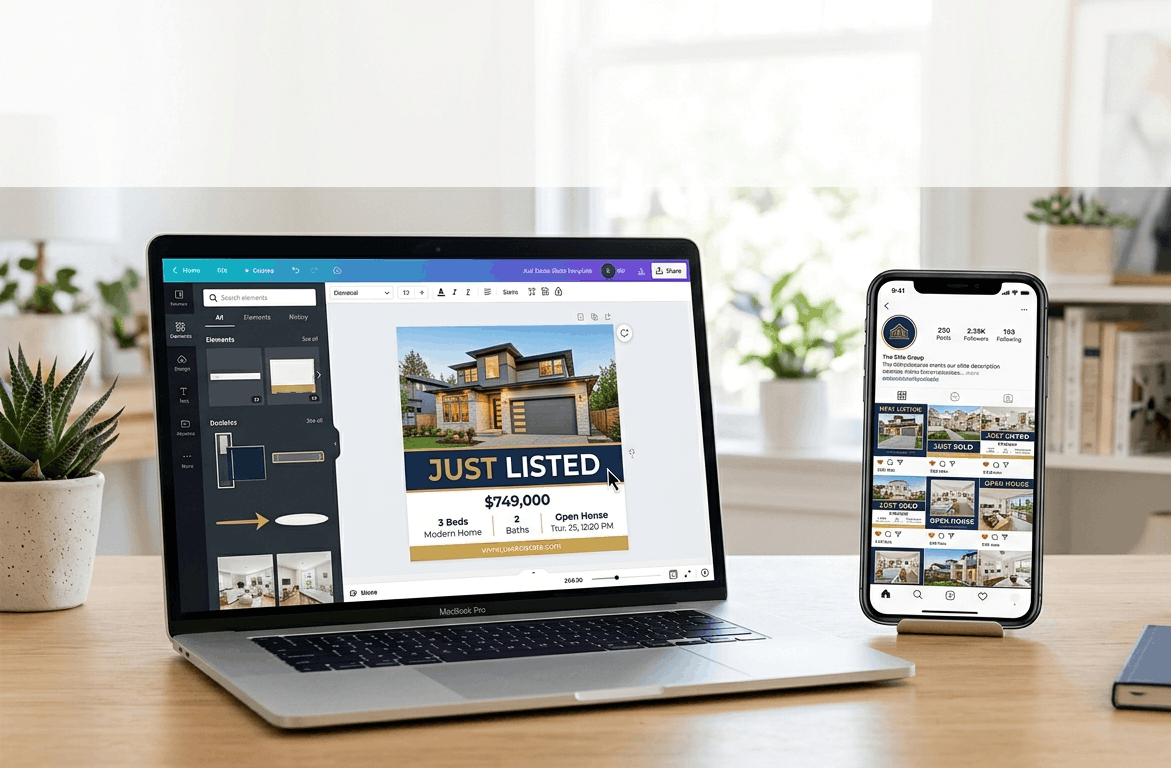
The best real estate Canva templates let you create scroll-stopping listing flyers, open-house invites, and Instagram posts in minutes — no designer, no design degree, no code. You swap in your photos, your text, and your logo, and you look like the polished professional you are. For an agent trying to show up consistently online without losing hours to graphic design, it’s the highest-leverage shortcut there is.
But there’s a real fork in the road: do you DIY with Canva’s own library, or pay a service that hands you finished, real-estate-specific templates plus the captions and calendar telling you what to post? This guide compares both paths honestly. (It’s the Canva-focused piece of your marketing stack — for the wider set of lead magnets, guides, and print materials, see our real estate marketing templates guide.)
Why Real Estate Canva Templates Are an Agent’s Best Friend
Marketing is where most agents quietly lose. You know you should post consistently, send branded listing flyers, and look sharp online — but you’re not a designer, and starting from a blank canvas at 10pm never happens. Templates fix that. A good real estate template is 90% done before you touch it: professional layout, on-trend design, space for your photo and details. You customize the last 10% — your branding, your listing, your market — and publish. What took an afternoon takes ten minutes.
The strategic payoff is consistency. Agents who show up regularly with professional-looking content build recognition and trust, which turns into referrals and listings. The only real decision is how much of the work you want done for you — and that’s exactly the trade-off the options below are built around.
How We Compared These Options — The 5 Criteria
- Real-estate-specific vs. generic. Curated templates built for agents (just sold, open house, market update) beat digging through a general design library.
- Done-for-you vs. DIY. Do you also get pre-written captions and a content calendar — so you never wonder what to post — or just the graphics?
- Cost model. Free, a cheap one-time pack, or an ongoing subscription — each fits a different budget and commitment level.
- Customization & uniqueness. Can you fully brand it? And is the template shared with thousands of other agents (so feeds start to look identical)?
- Extras. Reel trends, lead magnets, email newsletters, print flyers, community, and training that go beyond a single graphic.
The Options at a Glance
| Option | Best for | Price (2026) | Real-estate-specific? | Done-for-you? |
|---|---|---|---|---|
| Canva (native) | DIY agents on a budget | Free; Pro ~$12.99/mo | No — general library | No — you build it |
| Coffee & Contracts | Premium done-for-you content | $74/mo ($740/yr); 7-day trial | Yes | Yes — captions, calendar, Reels |
| Agent Crate | Budget done-for-you | ~$25–54/mo | Yes | Yes |
| LCA Marketing Center | Templates + community/training | ~$59/mo | Yes | Yes + training |
| Etsy / Creative Market | Cheap one-time packs | ~$6–30 one-time | Some | No |
Pick by How Much You Want Done for You
- Free / happy to DIY: native Canva — a huge template library you customize yourself.
- Cheap one-time buy: an Etsy or Creative Market template pack — no subscription.
- Done-for-you on a budget: Agent Crate — finished real estate content at the lowest subscription.
- Premium done-for-you: Coffee & Contracts — the best content, captions, and calendar.
- Want community and training too: LabCoat Agents Marketing Center.
The DIY Foundation: Native Canva vs. One-Time Packs
Before you pay a monthly subscription, know that you can get a long way for free or nearly free. These two options put the design work in your hands — cheaper, but you supply the time and the “what do I post?” thinking.
| Canva (native) | Etsy / Creative Market packs | |
|---|---|---|
| Cost | Free; Pro ~$12.99/mo | ~$6–30 one-time |
| What you get | Huge template library | A curated set of templates |
| Real-estate-specific | Some, mixed with general | Usually yes, niche packs |
| Ongoing content help | None | None |
| Best for | DIY agents on any budget | A specific one-time need |
Canva (Native) — The Free Foundation Every Agent Should Start With
Canva itself should be your starting point, full stop. Its free tier already includes a deep library of real estate templates — listing flyers, open-house invites, “just sold” posts, agent bios, neighborhood guides, market updates — all drag-and-drop, all customizable with your colors, fonts, logo, and photos, with zero design skill required. For an agent watching every dollar, you can run your entire marketing look for free.
Upgrade to Canva Pro (~$12.99/month) and you unlock a Brand Kit (so everything stays on-brand automatically), premium templates and stock photos, background remover, resize tools, and a built-in social scheduler. That’s still cheaper than any done-for-you service, and for a hands-on agent it may be all you ever need.
The honest trade-offs: Canva’s real estate templates are mixed in with a general library, so you’ll do some hunting, and — the big one — it gives you the graphic but not the caption or the calendar. You still have to decide what to post and write the words. That “what do I post today?” gap is exactly what the paid services next solve.
Canva (native)
Best for: Every agent as a starting point — especially DIY, budget-conscious agents who’ll happily customize and write their own captions.
NOT for: Agents who want the posting decisions and captions made for them, or a tightly curated real-estate-only library.
Etsy / Creative Market — Cheap, One-Time Template Packs
If you want something more curated than Canva’s library but hate subscriptions, marketplaces like Etsy and Creative Market sell real estate template packs — often as Canva-editable files — for a one-time ~$6–30. You can grab a luxury-listing Instagram set, a Pinterest pin pack, an open-house bundle, or a full “farming” postcard system, pay once, and own it. For under the price of one month of a subscription service, you can get weeks of templates.
The catch is that it’s still DIY: no captions, no content calendar, no updates, and quality varies seller to seller (check reviews and previews before buying). It’s perfect for a specific need — “I want a great open-house set” — not for staying consistent all year.
Etsy / Creative Market packs
Best for: Agents who want curated, real-estate-specific templates for a one-time cost with no subscription.
NOT for: Agents who want ongoing fresh content, captions, or a calendar telling them what to post.
Bottom line: start with native Canva — it’s free, and most agents underestimate how far it goes. Add a cheap Etsy/Creative Market pack when you want a curated set for a specific campaign. If, after trying these, the real problem turns out to be consistency — you have the tools but never post — that’s your signal to look at the done-for-you services next.
The Done-for-You Services: Coffee & Contracts vs. Agent Crate
Here’s where you stop making content and start receiving it. These two hand you finished, real-estate-specific templates plus the captions and monthly calendar — so the “what do I even post?” problem disappears. Both are Canva-based and need zero design skills; the difference is quality versus price.
| Coffee & Contracts | Agent Crate | |
|---|---|---|
| Price | $74/mo ($740/yr); 7-day trial | ~$25–40/mo |
| Content quality | Highest — premium graphics | Very good, a notch below C&C |
| Includes | Captions, calendar, Reel trends, lead magnets, newsletters, memes | Templates, social + blog content, monthly kit |
| Extras | Drag-and-drop content planner | Analytics, automations, an app |
| Best for | Premium done-for-you | Budget done-for-you |
Coffee & Contracts — The Premium Standard
Coffee & Contracts is the name most agents reach for when they want their feed to look expensive without the work. For $74/month (or $740/year with a 7-day free trial), you get a fully real-estate-exclusive library: Instagram and Facebook templates, pre-written captions, a monthly content calendar, weekly Reel trend briefs (so you’re never guessing which audio is hot), lead magnets, email newsletters, listing graphics, and print flyers — all 100% customizable in Canva with your branding. Its signature extra is “The Broke Agent” memes, which get outsized engagement and that no competitor offers. It scores highest on content quality and real estate fit for a reason.
The honest catches: it’s the priciest option here, and — the one to actually plan around — the content is shared across all subscribers. If three agents in your market post the same template untouched, your feeds look identical. The fix is simple (customize colors, add your local voice), but you can’t skip it. It’s also a content library, not a posting tool — no built-in scheduler, analytics, or app.
Coffee & Contracts
Best for: Agents who want the highest-quality done-for-you content and captions, and will add a personal touch so it doesn’t look generic.
NOT for: Budget-focused agents, or anyone who wants scheduling and analytics built into the same tool.
Agent Crate — The Value Pick That Does More
Agent Crate delivers the same core promise — done-for-you, real-estate-specific, Canva-based content — at often less than half the price (around $25–40/month). You get social media templates, blog content, and a monthly marketing kit, all fully customizable with your colors, fonts, logo, and brokerage info, with no contracts and cancel-anytime billing. And it actually offers more on the feature side than its pricier rival: reporting and analytics, automations, and an app experience that Coffee & Contracts doesn’t have.
The trade-off is polish. Coffee & Contracts’ graphics and captions are a cut above — that’s the premium you’re paying for. Agent Crate’s content is very good, just not quite as striking. For most agents building passive, consistent marketing without overspending, that’s an easy trade: you get 90% of the quality, more features, and keep an extra $40+ a month.
Agent Crate
Best for: Budget-conscious agents who want done-for-you content plus analytics and an app, at the lowest subscription.
NOT for: Agents who specifically want the most premium, magazine-quality graphics and captions on the market.
Bottom line: Coffee & Contracts if quality is everything and the budget allows; Agent Crate if you want nearly the same result with more features for less than half the price. Either one solves consistency — which is the actual thing most agents are missing.
LabCoat Agents Marketing Center — Templates Plus Community
LabCoat Agents Marketing Center (LCA) rounds out the done-for-you field with a different pitch: it’s not just templates, it’s templates plus a tribe. For around $59/month, you get a library of Canva-based real estate templates and marketing materials, but the real draw is the active agent community and the training and strategy content bundled in. For an agent who feels isolated working solo — exactly the person building this alone — that mix of ready-made content and a place to ask questions and learn can be worth more than the graphics themselves.
The trade-offs: it sits at the pricier end, its template quality is generally rated a notch below Coffee & Contracts, and like the others it’s a content library, not a posting/scheduling tool. You’re partly paying for the community and training, so it’s the best fit only if you’ll actually use them.
LabCoat Agents Marketing Center
Best for: Solo agents who want done-for-you templates and an active community plus training to lean on.
NOT for: Agents who only want the graphics and would rather not pay extra for community and training.
How to Choose: Is Your Problem the Tools, or the Consistency?
Strip away the brand names and this whole decision comes down to one honest question about yourself:
- If you’ll genuinely do the work — customize templates, write your own captions, post on a schedule — then you don’t need to pay a subscription. Native Canva (free, or Pro at ~$13/month) plus the occasional Etsy pack is all you need. Keep your money.
- If you have tools but never actually post — the templates sit unused, the “I’ll post tomorrow” never comes — then your problem isn’t tools, it’s consistency, and that’s exactly what a done-for-you service buys. The captions and monthly calendar remove every excuse. For most agents, Agent Crate (value) or Coffee & Contracts (premium) is the honest answer.
Be truthful with yourself about which agent you are. Paying $74/month for templates you’ll customize yourself anyway is a waste; paying $0 for Canva and then never posting is a bigger one.
Don’t Skip This: Customize + Stay Compliant
Two quick rules that separate the agents who win with templates from the ones who look amateur:
Always customize. Done-for-you content is shared across every subscriber, so a template posted untouched will show up on other agents’ feeds in your market too. Swap in your brand colors, your photos, and a caption in your own local voice. The template is the starting line, never the finish.
Watch your copy for Fair Housing. Your social posts and flyers are advertising, which means Fair Housing rules apply. Avoid any language that signals a preference based on protected classes (family status, religion, national origin, and more), and describe the property, not the ideal buyer. When in doubt, the HUD Fair Housing Act overview is the authority — a two-minute read that keeps a cute caption from becoming a real problem.
The Verdict: Which Canva Template Option Should You Use?
There’s no single best source of real estate Canva templates — there’s the one that matches your budget and, honestly, your discipline. Here’s the field matched to you:
| Your situation | Best pick | Why |
|---|---|---|
| Free / happy to DIY | Canva (native) | Huge library, customize it yourself |
| Want a curated set, one-time | Etsy / Creative Market | Cheap packs, no subscription |
| Done-for-you on a budget | Agent Crate | Finished content + analytics, low price |
| Premium done-for-you | Coffee & Contracts | Best quality, captions, calendar, Reels |
| Want community + training too | LCA Marketing Center | Templates plus a tribe |
For most agents, start free with native Canva. If you find you have the tools but never post, upgrade to Agent Crate (value) or Coffee & Contracts (premium) to solve consistency.
Save This: The 8 Templates Every Agent Needs
You don’t need a thousand templates — you need these eight, ready to go and branded. Have them on hand and you’ll never stare at a blank feed again:
| Template | What it’s for | When to post |
|---|---|---|
| 1. Just Listed | Announce a new listing with photos + details | The day a listing goes live |
| 2. Open House | Invite buyers and neighbors to your event | 3–4 days before the open house |
| 3. Just Sold | Social proof that you close deals | Every single closing |
| 4. Market Update | Monthly local stats (prices, inventory, days on market) | First week of each month |
| 5. Client Testimonial | A happy-client quote or review graphic | Whenever you get a good review |
| 6. Meet Your Agent | Your bio, photo, and what you specialize in | Monthly, for new followers |
| 7. Neighborhood Guide | Highlight a local area — schools, dining, parks | Weekly “local expert” content |
| 8. Tip / Quote Post | A quick buyer/seller tip or motivational quote | Fill-in days to stay consistent |
The rule that makes it work: build these eight once with your branding, then reuse and refresh them all year. Consistency beats perfection — an agent who posts a solid “Just Sold” every closing wins more business than one waiting to design the perfect graphic that never ships.
The Bottom Line
Real estate Canva templates are the cheapest way to look professional and stay visible without hiring a designer or touching code. Start free with native Canva — most agents never realize how far it goes. Grab an Etsy pack for a specific campaign. And if your honest problem is consistency, not tools, let Agent Crate or Coffee & Contracts hand you the content and the calendar so posting becomes automatic. Whatever you pick: customize it, post the eight templates above on repeat, and let showing up consistently do the compounding.
What to Read Next
Build the rest of your marketing engine:
- Best Real Estate Marketing Templates (2026) — the full set: lead magnets, buyer/seller guides, and print materials beyond social.
- Best Real Estate Landing Page Builders (2026) — turn the followers your content earns into captured leads.
- Best Email Marketing for Real Estate Agents (2026) — nurture those leads into clients.
- Best Real Estate Listing Media Platforms (2026) — the photos and video that make your templates shine.
- Best Real Estate Coaching for New Agents (2026) — build the consistent habits behind all of it.